

FortiGate 60E-DSL UAE
Operating a business in Al Ain or the Northern Emirates often requires flexible connectivity options where fiber might not be the only available service. The fortinet FG 60E-DSL UAE is built to address this “last mile” challenge by supporting multiple DSL standards, including VDSL2 and ADSL2+. As a Senior IT Consultant at Fourteck, I have seen many clients struggle with unstable internet links that disrupt VoIP calls and cloud access. The FortiGate 60E-DSL UAE resolves this through its built-in SD-WAN capabilities, which intelligently monitor link health and route critical traffic through the most stable path. This ensures that your business-critical applications remain online even during peak traffic hours.
This appliance is powered by Fortinet’s specialized security processors, ensuring that your firewall throughput remains high even when deep packet inspection is active. The FortiGate 60E-DSL UAE runs on FortiOS, which allows it to integrate perfectly with the Fortinet Security Fabric. This means your firewall, switches, and access points can communicate to create an automated, self-healing defense system. Whether you are searching for a Fortigate supplier UAE can trust or looking for a way to upgrade your network security UAE infrastructure, the 60E-DSL provides the performance, storage, and connectivity required to support modern B2B operations.
Key Features of the FG 60E-DSL UAE
Integrated DSL/VDSL2 Modem: Supports a wide range of DSL standards, eliminating the need for a separate ISP-provided modem.
Next-Generation Security (NGFW): Provides industry-leading protection against advanced threats using real-time intelligence from FortiGuard Labs.
Secure SD-WAN: Intelligently routes traffic over the best available link to optimize the performance of SaaS and VoIP services.
ASIC-Accelerated Performance: Purpose-built hardware ensures that security processing does not slow down your network speed.
Fanless Quiet Design: Ideal for small offices and retail spaces where a traditional server rack is not available.
Business Use Cases
SMB and Remote Branch Offices
Small businesses in Dubai use the FortiGate 60E-DSL UAE to secure their premises while using a standard DSL line. It provides a professional VPN gateway for remote staff, ensuring secure access to local files and applications.
Retail and Kiosk Connectivity
Retailers in Abu Dhabi malls often use DSL for backup connectivity. The 60E-DSL acts as the primary security gateway, using its integrated modem as a secondary link to ensure credit card transactions never fail.
Telecom and Enterprise Networking
Telecommunications-dependent offices use this device to manage hybrid WAN environments. It allows them to mix fiber and DSL links, ensuring that VoIP traffic always has a clear path with low latency.
Technical Explanation and Integration
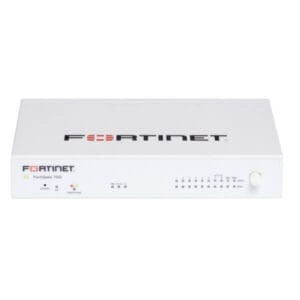
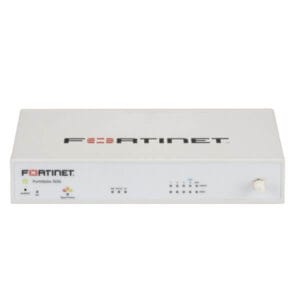
The FortiGate 60E-DSL UAE features a multi-port architecture, including an RJ11 DSL port, two GE RJ45 WAN ports, and seven Switch ports. This flexibility is vital for businesses that want to implement a “redundant link” strategy. Technically, the device excels at SSL inspection, which is critical since the majority of modern malware is hidden in encrypted HTTPS traffic. It integrates seamlessly with FortiClient for endpoint protection and FortiAnalyzer for deep data logging, making it a cornerstone for any NGFW UAE deployment.
Deployment Insights and Professional Tips
For a successful rollout in the UAE, the Fourteck engineering team recommends these professional steps:
Direct DSL Connection: Connect your DSL line directly to the RJ11 port on the FortiGate. Avoid using a micro-filter if the line is dedicated to data, as this reduces signal interference.
Configure Failover: Use the Ethernet WAN port for your primary fiber connection and the DSL port as a backup. Set up SD-WAN rules to trigger an instant switch if the fiber link experiences high latency.
App-Aware Policies: Instead of blocking categories, use Application Control to prioritize Zoom or Microsoft Teams traffic over general web browsing.
Security Fabric Link: Connect your 60E-DSL with a FortiSwitch to gain port-level visibility. This allows you to identify which specific physical device is causing a security alert.
Reviews
There are no reviews yet.