


Fortinet FG 51E UAE
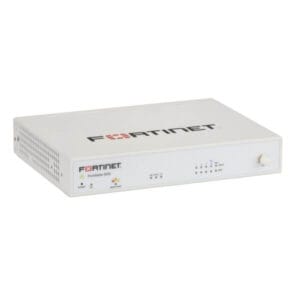
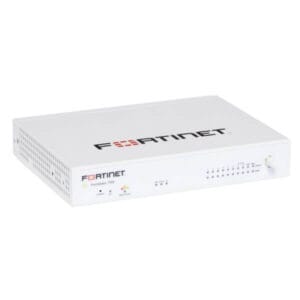
Protecting a modern enterprise in the UAE requires more than just basic filtering. The fortinet FG 51E UAE is engineered to identify and neutralize threats before they reach your internal users. Unlike its sibling, the 50E, the 51E includes an internal 32GB SSD. This storage allows for local logging and reporting, which is essential for businesses that need to audit network activity without relying solely on cloud storage. As a Senior IT Consultant at Fourteck, I have seen how this local storage improves performance by offloading logging tasks from the primary memory, ensuring that your security inspection remains lightning-fast.
The appliance operates on the industry-leading FortiOS, providing a unified management interface for your entire security posture. Whether you are managing a single boutique in a Dubai mall or a series of branch offices in Al Ain, the FortiGate 51E UAE delivers consistent, enterprise-grade protection. It features specialized hardware acceleration that allows for deep inspection of encrypted traffic—a necessity in an era where most web traffic is hidden from traditional firewalls. With its fanless design, it operates silently, making it ideal for open-plan offices or retail spaces where a bulky server rack is not feasible.
Key Features of the FG 51E UAE
Integrated 32GB SSD: Provides dedicated space for local logging, reporting, and data caching, improving overall system responsiveness.
Advanced Threat Protection: Uses real-time intelligence from FortiGuard Labs to block malware, botnets, and zero-day exploits.
Secure SD-WAN: Intelligently routes traffic over the best available path, ensuring high quality for VoIP and SaaS applications.
Granular Application Control: Identifies thousands of applications to allow for precise security policies based on actual user behavior.
High-Density Ports: Includes multiple GE RJ45 ports for flexible WAN and LAN configurations, supporting redundant internet links.
Business Use Cases
Compliance-Driven SMBs
Small businesses in Dubai’s financial or legal sectors often require local logs for regulatory compliance. The FortiGate 51E UAE allows these firms to store traffic logs locally, meeting data residency and audit requirements.
Retail and Hospitality
Retailers use the FG 51E to secure guest Wi-Fi and Point-of-Sale (POS) systems simultaneously. The internal storage helps in troubleshooting network issues at the branch level without needing a centralized log server.
Telecom and Branch Connectivity
Telecommunications-dependent offices use this device to manage SD-WAN links between Abu Dhabi and international headquarters. It ensures that voice traffic is prioritized over less critical data, maintaining professional communication standards.
Technical Explanation and Integration
The FortiGate 51E UAE is a “fabric-ready” device, meaning it integrates seamlessly into the broader Fortinet Security Fabric. Technically, this allows the firewall to communicate with FortiSwitches and FortiAPs to create a self-healing network. The inclusion of the SSD is a significant technical advantage for distributed enterprises; it allows for “Store and Forward” logging, which prevents data loss if the connection to a central management server is temporarily interrupted. It supports robust VPN protocols, allowing remote workers across the UAE to connect securely to corporate resources with minimal latency.
Deployment Insights and Professional Tips
To maximize the performance of your deployment, the Fourteck engineering team recommends these professional strategies:
Optimize Log Rotation: Since the internal SSD is 32GB, configure your log rotation settings to overwrite old data once the disk is full or move critical logs to a FortiAnalyzer for long-term storage.
Enable Deep SSL Inspection: Most threats hide in encrypted traffic. Ensure you install the FortiGate certificate on your endpoints to allow the 51E to inspect HTTPS traffic effectively.
Use Proactive SD-WAN: Define “Performance SLAs” in FortiOS. This tells the firewall to switch traffic to a backup link automatically if the primary link’s latency exceeds a certain threshold.
Leverage Local Reporting: Use the on-box reporting feature to generate weekly summaries of blocked threats and top application usage to keep your management informed.
Reviews
There are no reviews yet.